How it works
One cabinet, from model to order.
Scroll, and watch a kitchen base unit come apart into the parts Woodkraft cuts, prices and orders.

Draw the room or type the parts. Woodkraft gives you production drawings, the fewest sheets, a cut list with the edge band taken off, a quote your client signs, and an order your supplier cuts.

One job, from the first cabinet to the last label. Every screen below is Woodkraft, exactly as it runs.
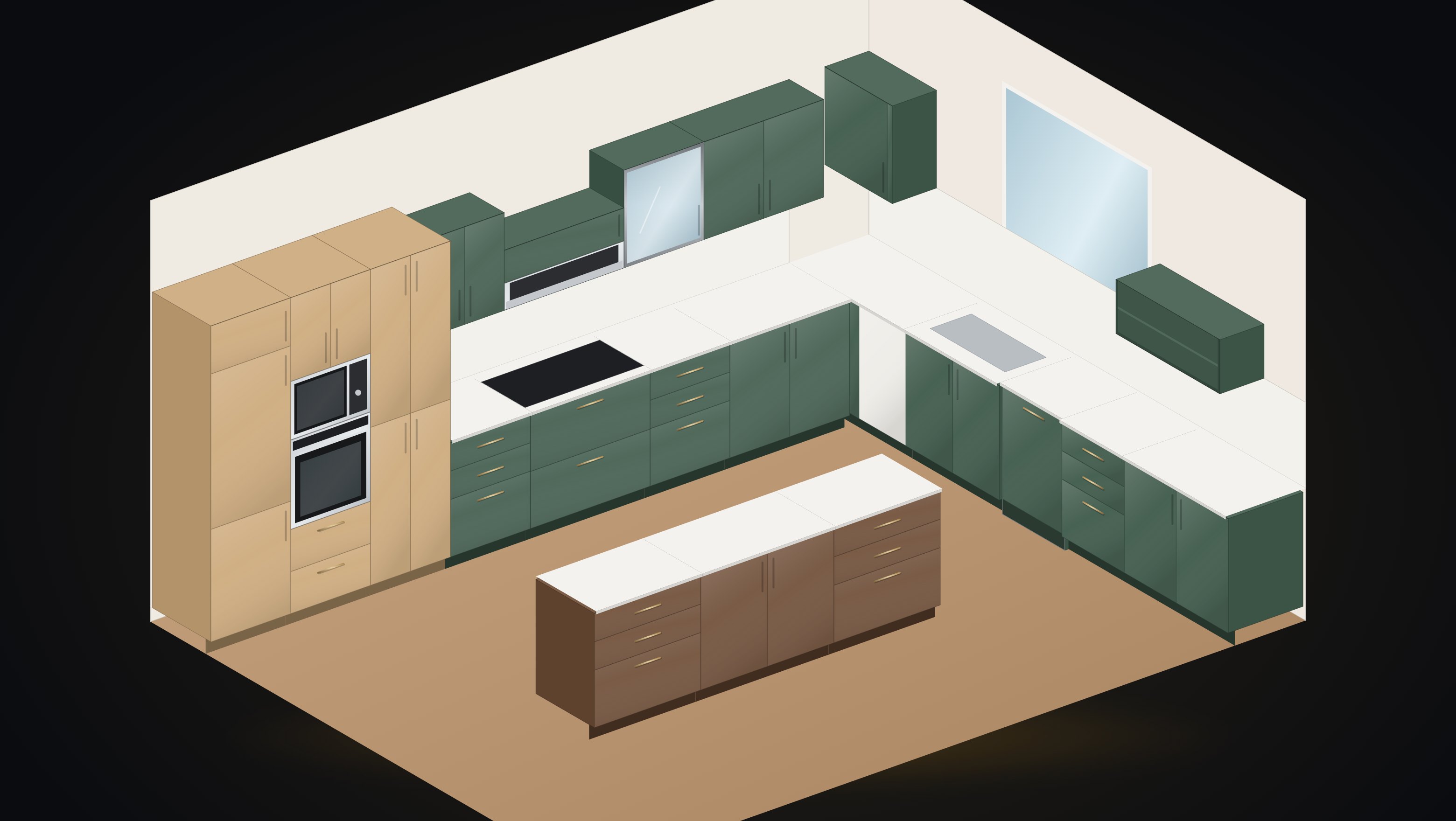
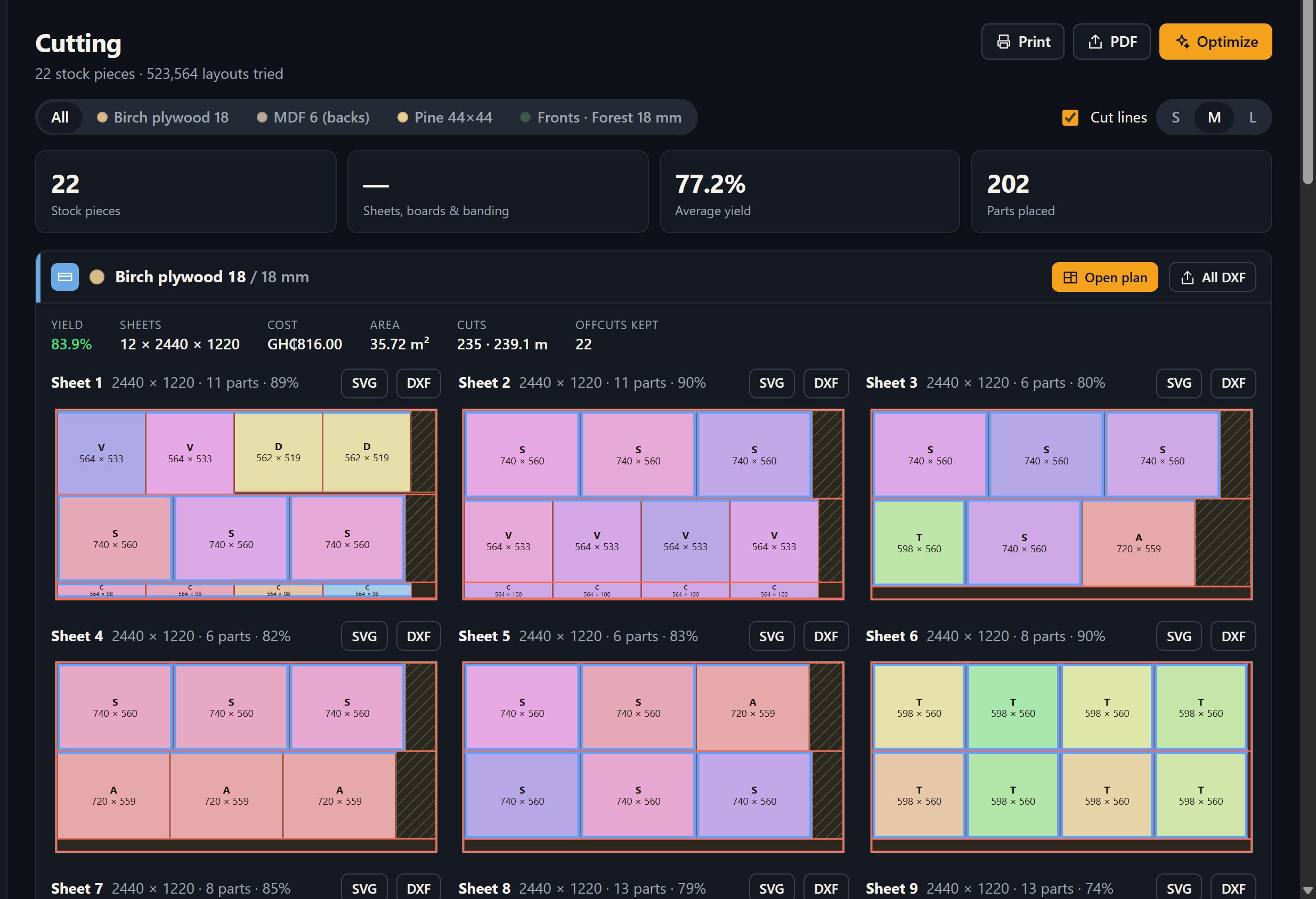
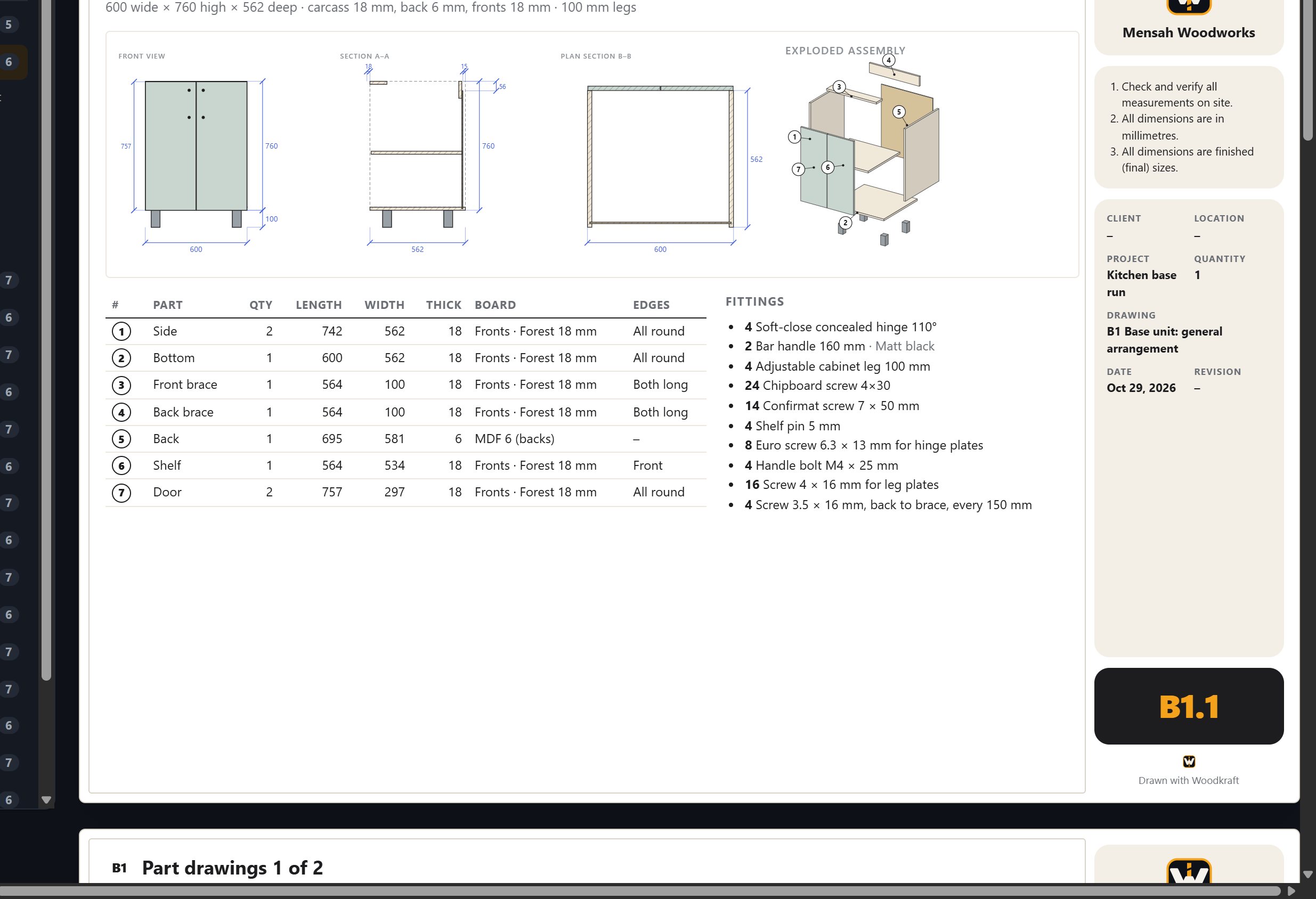
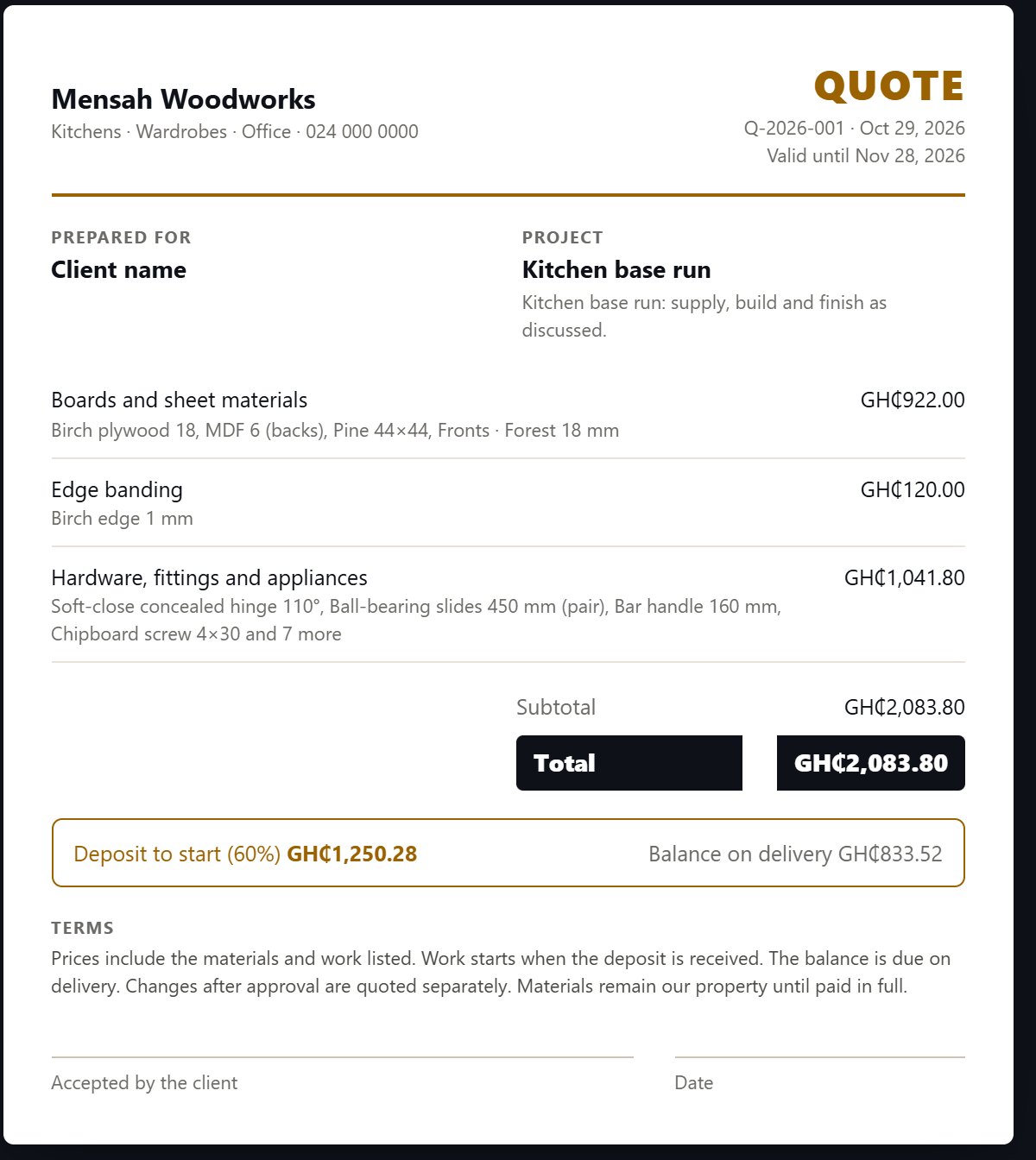
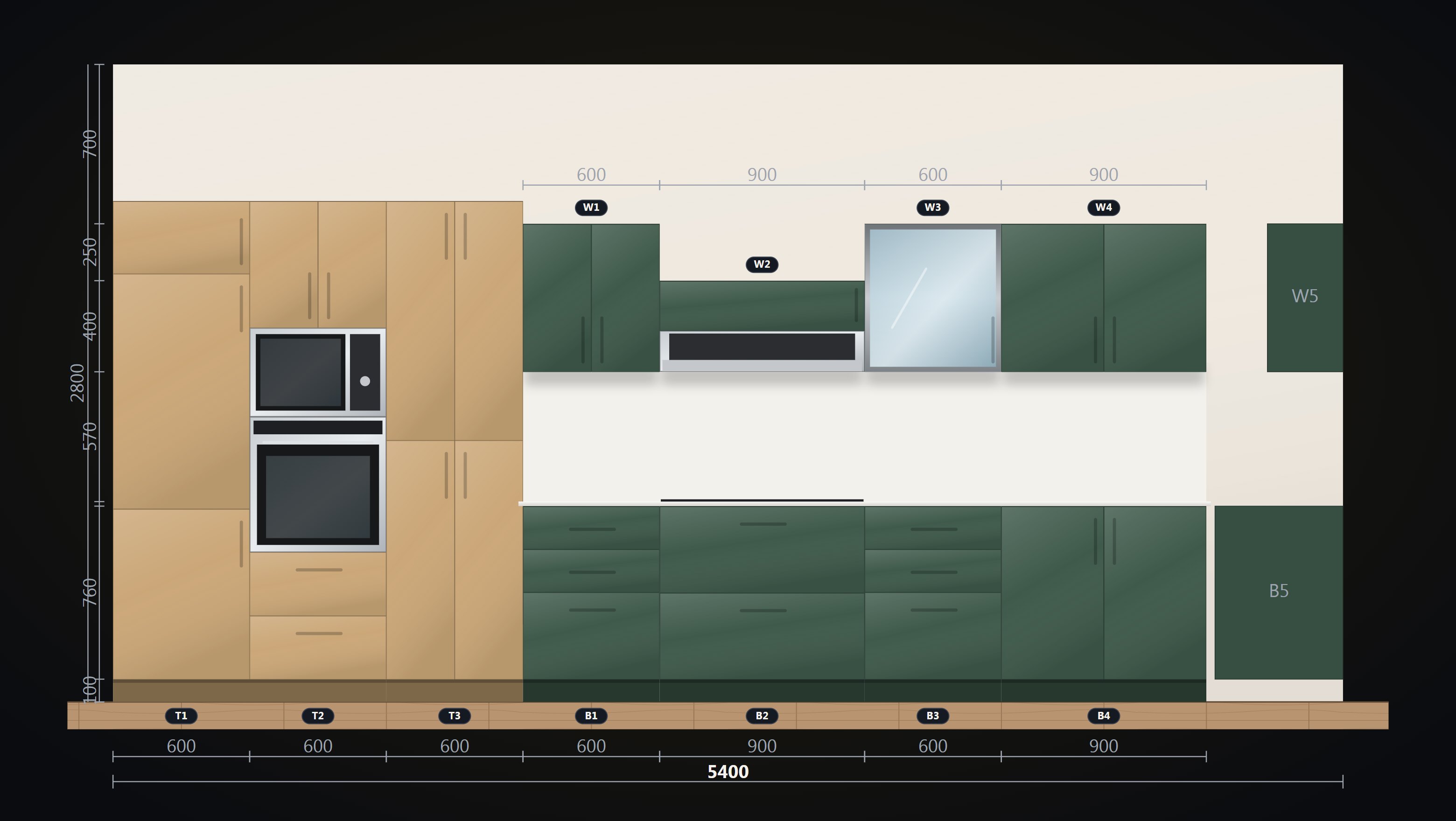
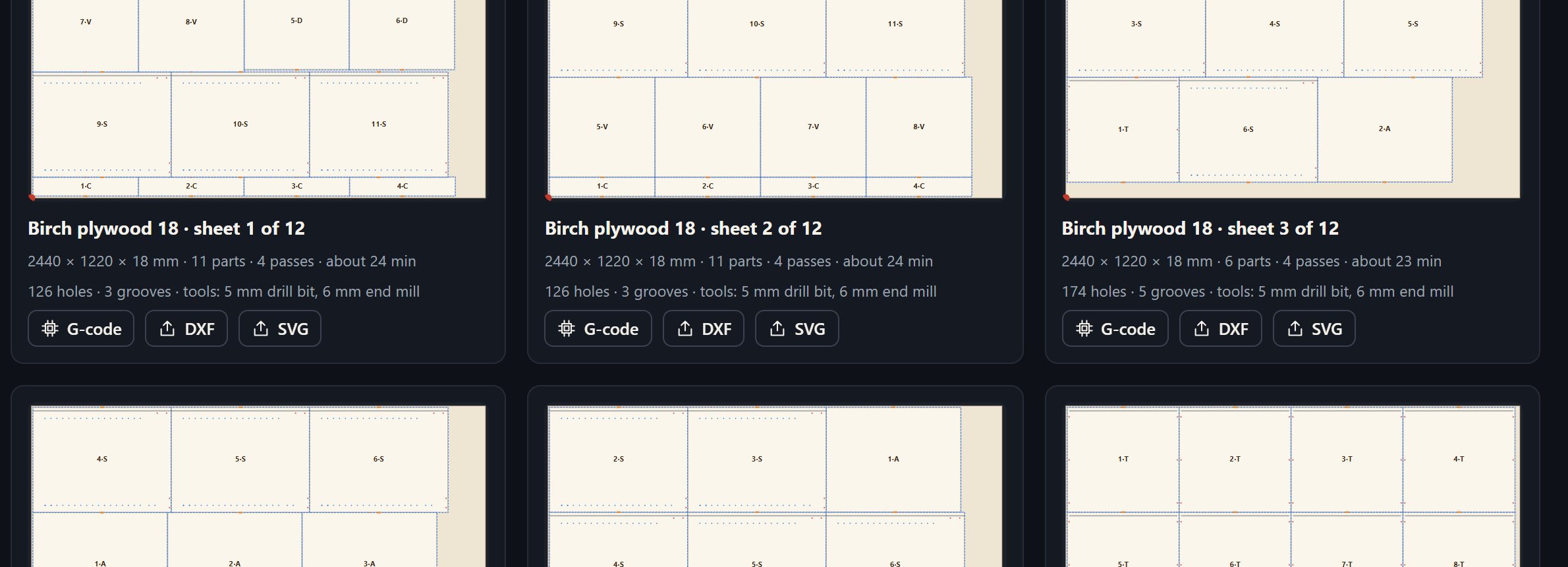
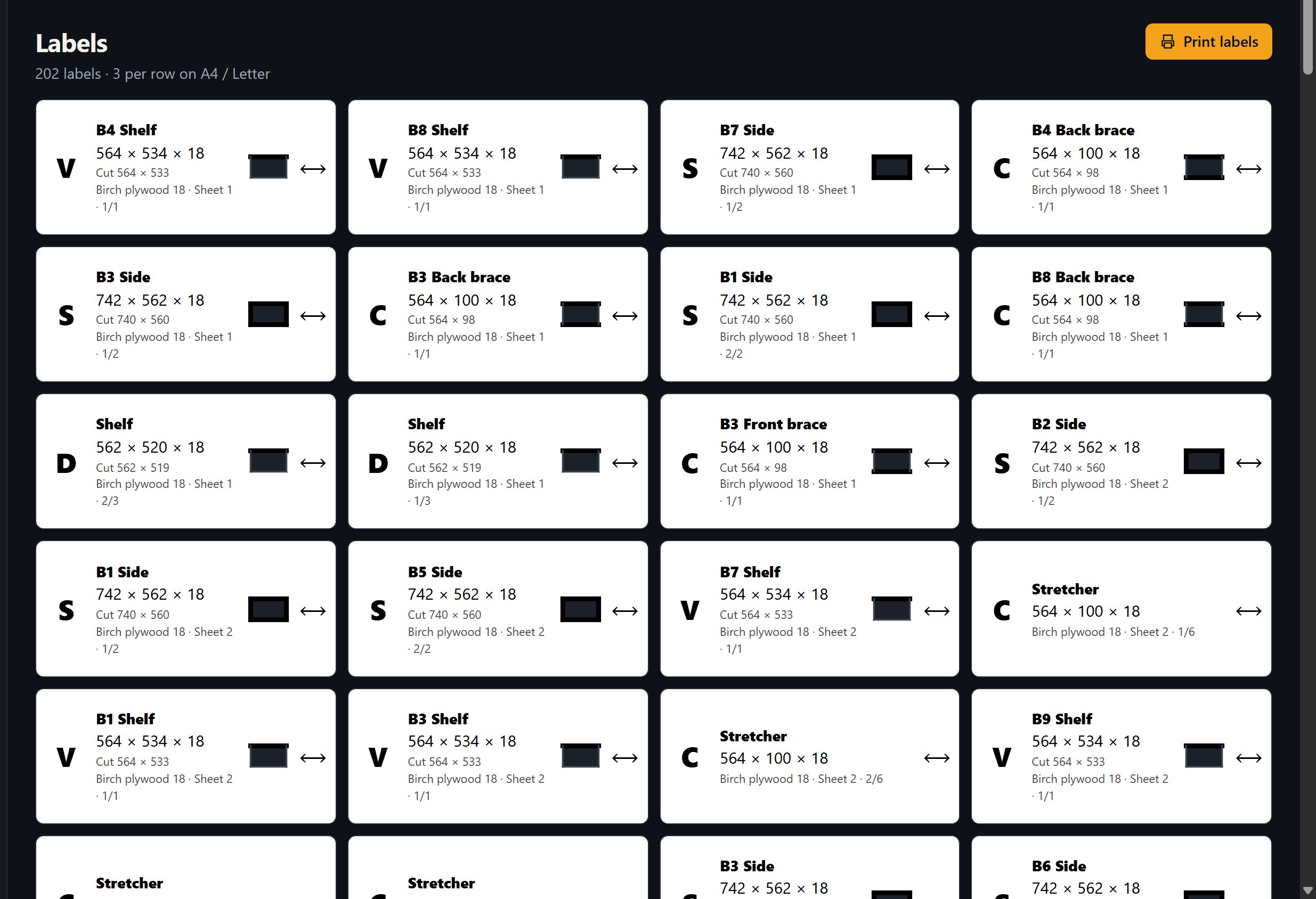
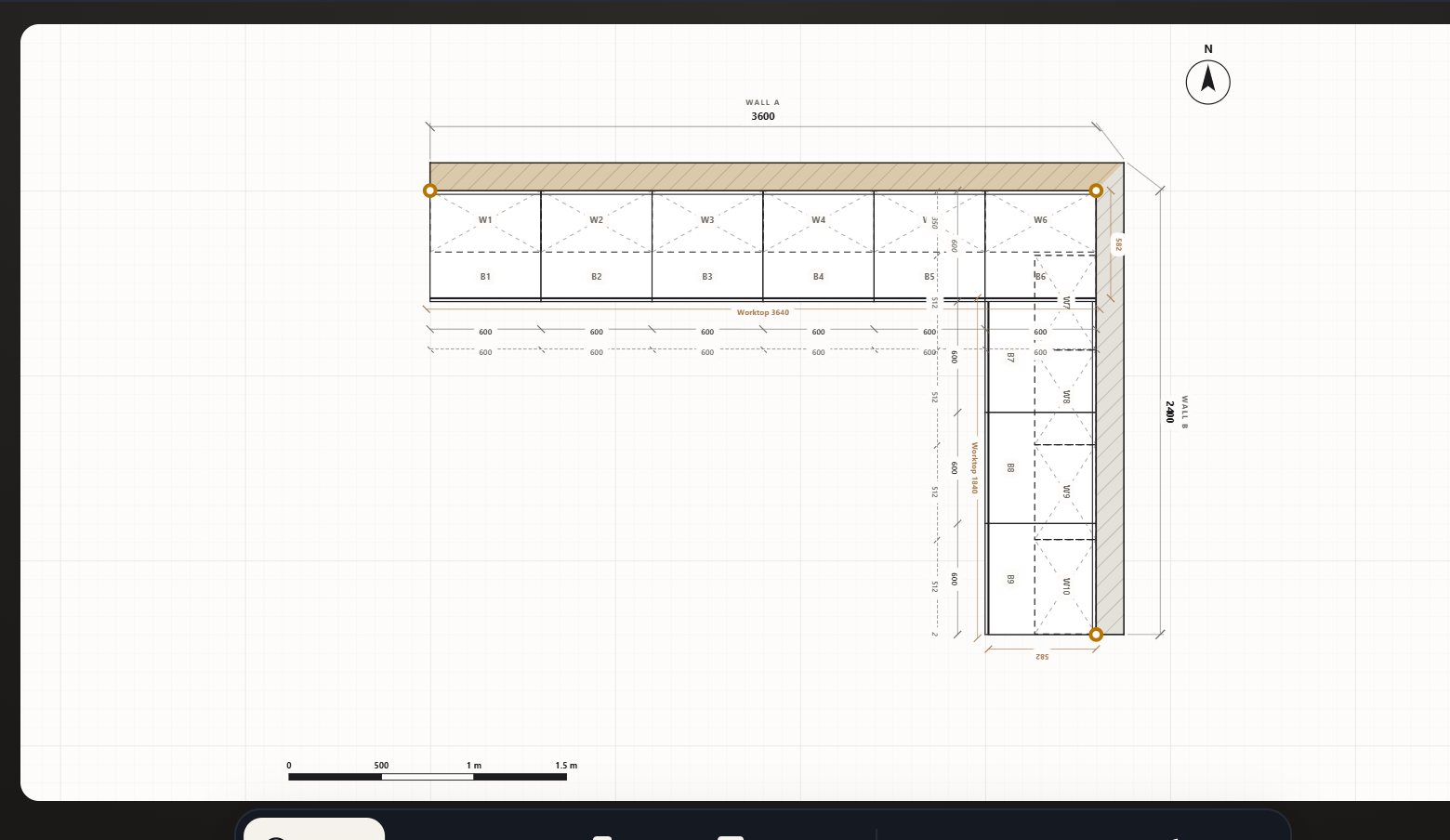
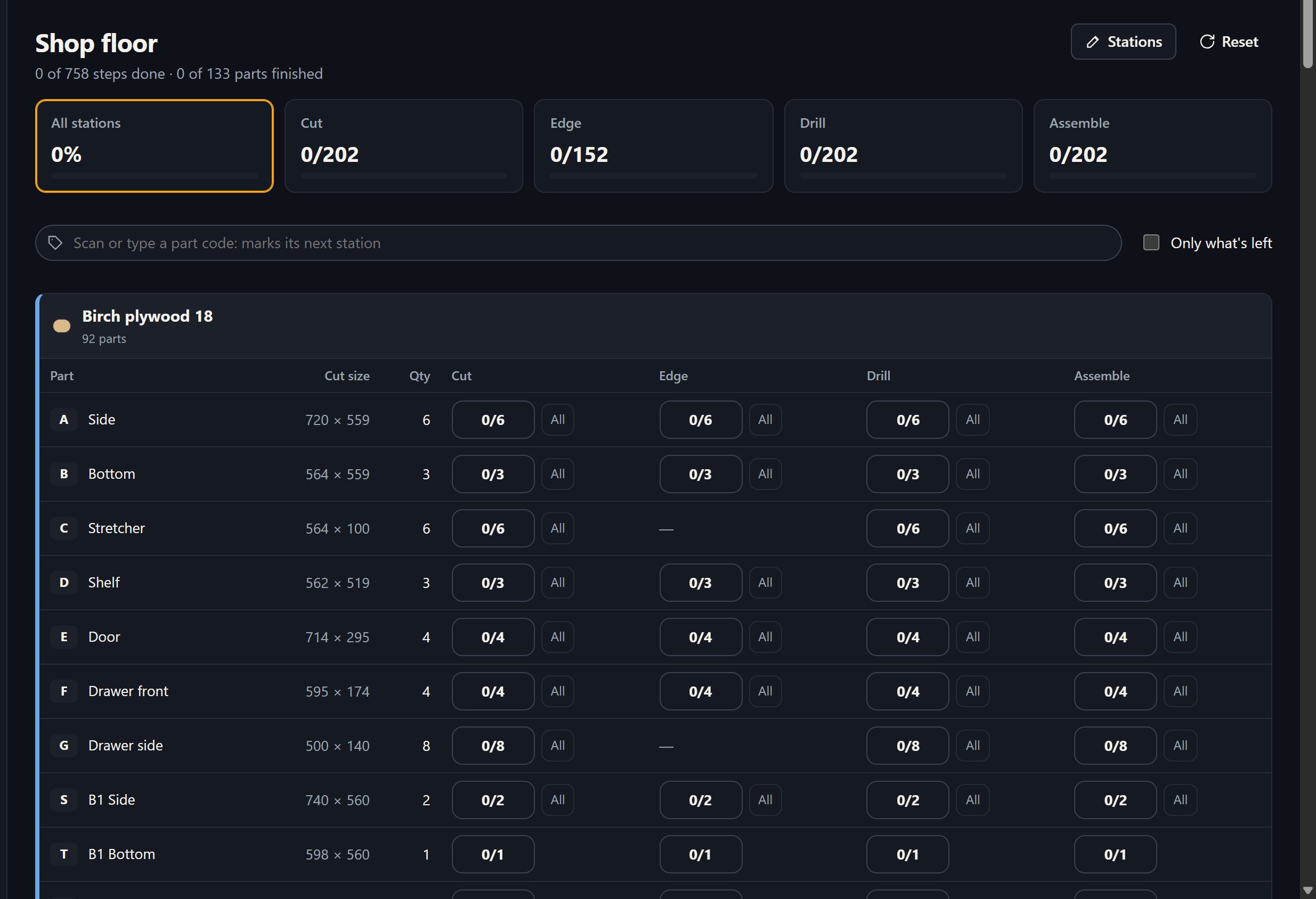
Scroll, and watch a kitchen base unit come apart into the parts Woodkraft cuts, prices and orders.
Draw in SketchUp or type sizes in. Woodkraft finds every panel, groups the identical ones and marks the edges that get tape. Cut sizes already have the edge band taken off.
Hundreds of thousands of layouts in seconds, with the grain respected and offcuts big enough to use. Print the plans and labels for the saw.
Boards, edge band and hardware from suppliers in Ghana, at today's prices and stock. Your estimate and quote add up by themselves, in cedis.
Order from your cutting list and pay by card. The supplier cuts and edges the boards, and you follow every step by SMS.
Every panel, material, edge and fitting read from your model. Change it and sync again; the job lives inside the file.
Carcass 562, door 18, 20 mm off the wall, worktop 600. Drawers, sinks, blind corners and wall units built the way you build them.
Tape comes off the saw sizes, metres are totalled and rolls counted. Same-size parts share one code.
Hinges, runners, handles and appliances, each with its own drawing, priced by piece, pack or box.
Woodkraft Desktop takes rooms, boards, sizes and fittings by hand, and saves your work as a .wf file.
Everything runs on your computer. The internet is only for live prices, orders and your licence.
List your boards, edge band and hardware once. Every Woodkraft user prices their jobs with your live prices and stock, and orders straight from the cutting list.
First month free, then US$50 a month, paid in cedis, plus 2% of each paid order.
Start with 14 days of every feature. Then keep the free plan, or choose a plan by the month or the year. No automatic charges.
$0forever
Plan and cut your own jobs.
$240/year
two months free: $48 less than monthly
$590/year
two months free: $118 less than monthly
$2,490/year
two months free: $498 less than monthly
One account for everything you do on Woodkraft. No passwords: we email you a code each time you sign in.
Create your free account inside Woodkraft, then order boards and hardware straight from your cutting list and keep your licence with you.
Open your supplier account with your business details. Woodkraft checks every supplier before customers see it, usually within 2 working days.
The same jobs, licence and supplier prices in both.
SketchUp 2017 and newer, Windows and macOS. In SketchUp: Extensions → Extension Manager → Install Extension, then pick the file.
Download for SketchUp (.rbz)No SketchUp needed: rooms, cutting plans, cut lists, labels and quotes. Windows 10 and 11. Works offline; live supplier prices when online.
Download for WindowsNo. Woodkraft Desktop runs on its own on any Windows computer: draw the room or type in your parts and it does the rest. With SketchUp, Woodkraft reads your model directly and keeps the job inside it. One licence covers both.
No. Everything runs on your computer. The internet is only used for live supplier prices and orders, to buy or renew a plan, and once to find your country for the currency.
With a Visa or Mastercard card, or Apple Pay, on Paystack's secure checkout. Woodkraft never sees your card number.
When the payment clears, Woodkraft unlocks your plan by itself and the key is also emailed to you. It works offline until the end of the period you paid for. Pay again any time and the new month or year is added on.
No. Nothing is charged automatically. If you don't pay again, Woodkraft goes back to the free plan when your period ends; your jobs are never locked.
Over 150, including the Ghana cedi, naira, CFA francs, shillings and rand, chosen automatically for where you are. Plans are paid in Ghana cedis.
Start with 14 days of every feature, free. Your first job will pay for it.
Built in Accra. Our marks come from Adinkra, the symbols of the Akan people, each carrying a value we work by.